Card readers, the N in 1 decides nothing and the speed is in the pictures
The short answer
Prices in GBPUSDEUReach row carries the day it was read


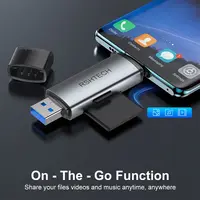


Twenty memory card readers, from one search, none handled here. The kind of thing you buy because a laptop has stopped having a card slot in it.
Thirteen of the twenty lead with how many cards they take. All twenty take the two cards you own.
The number on the front decides nothing
The headline on this shelf is a count: 2 in 1, 3 in 1, 5 in 1, 6 in 1, 8 in 1. It reads like capability, and for almost everybody it is not.
Every one of these twenty readers takes a full size SD card and a microSD. Between them those two cover a camera, a dash cam, a drone, a games handheld, a security camera and any phone old enough to have a slot.
So what do the extra slots take?
| Format | What owns one |
|---|---|
| CompactFlash | A professional camera, mostly pre-2012 |
| Memory Stick and MS Pro Duo | Sony cameras and the PSP |
| XD | Olympus and Fujifilm compacts of the mid 2000s |
| M2 | Sony Ericsson phones |
| MMC | Predates SD |
That is a genuinely useful list if you are going through a drawer of old cameras, and it is five slots of nothing if you are emptying a card from this decade. Five of twenty take at least one of those older formats. The other fifteen are advertising a count of the two slots everybody has.
The number that does decide it
How long a card takes to copy is set by the USB generation, and sixteen of the twenty state it.
| Generation | Ceiling | What that is in practice |
|---|---|---|
| USB 2.0 | 480 megabits a second | Roughly 35 to 40 megabytes a second |
| USB 3.0 | 5 gigabits a second | Limited by the card, so usually 90 to 170 |
On a 64GB card filled with photographs, that is the difference between a few minutes and most of half an hour. It is the only spec on this shelf that changes what the afternoon looks like.
Only one of the twenty puts a real figure in its title. Eight replace it with the words “High Speed”, which sit just as comfortably on a USB 2.0 listing as a USB 3.0 one, and on this page they do exactly that.
The honest numbers are all in the photographs
This is the part that made the page worth writing. Open the images and the sellers turn out to be considerably more precise than their own titles.
| What a listing’s pictures say | What its title says |
|---|---|
| 5Gbps theoretical, about 100MB/s actual, measured in their lab | USB 3.0 |
| 104MB/s read, 80MB/s write | USB C/USB 3.0 |
| 170MB/s, 1.2GB in ten seconds | USB 3.0 High Speed |
| 500MB of pictures in fifteen seconds | USB 3.0 |
| 480Mbps, printed under the words Faster Transmission Speed | USB 2.0 |
Those are believable, comparable, specific numbers. Every one of them is one click further in than the search results, and none of them is in the text a search engine reads.
And one thing that only appears in the pictures at all. Whether the two slots work simultaneously is a real functional difference and no title mentions it. The best specified reader here states in its own gallery that two cards cannot be read at the same time. Two others make a feature of the opposite. If you routinely copy from an SD and a microSD together, that is your deciding fact and it is buried three images deep.
One title claims Thunderbolt 3
A listing in the middle of this page has “Thunderbolt 3” in its title.
Thunderbolt 3 is not a faster USB. It is a different interface running at 40 gigabits, and hardware carrying it costs a great deal more than anything on this page.
Open that listing’s own images and every one of them says USB 3.0 and 5Gbps. Its specification panel lists SD and TF, 2TB maximum capacity, and five gigabits. The word Thunderbolt appears once, in the title, and nowhere in the product.
This is the second time in two days that a shelf here has produced a listing whose title and whose photographs disagree about the one spec that decides its worth. Yesterday it was a torch whose title said 365nm and whose first image said 395. It is not picked below.
The thing nobody mentions, which is your card
A reader cannot go faster than what is in it.
Put an old, slow microSD in the most expensive reader on this page and it will copy at the speed of the card. The reader is the bottleneck only when the card is quick, which means a USB 3.0 reader is worth buying when you have a decent card and a lot of data, and a couple of pounds is plenty when you have neither.
None of the twenty listings says this, which is fair enough, since none of them is selling you a card.
And if you were about to buy a dock instead
A dock or hub with a card slot in it costs several times what any reader on this page does, and it is the right purchase if you also want a monitor, ethernet and charging through one cable. Four such docks are already in this catalogue and they are covered in the USB-C hub guide.
If the only thing you actually need is to get the pictures off a card, the thing on this page does it for the price of a coffee.
Side by side
Prices in GBPUSDEUR. Each row carries the date its price was read.
| Product | Price | Why it is here | Where to buyLink |
|---|---|---|---|
| Best overall Vention Card Reader for PC Memory USB 3.0 2.0 | £5.39$7.18€6.34checked 18 Oct 2026 | The only listing here that publishes the honest version of its own speed claim. Its images give 5 gigabits as the theoretical figure and about 100 megabytes a second as the real one, and they say where the measurement came from. The same gallery also admits, in writing, that the two slots cannot be read at the same time, which is the sort of limitation most sellers leave you to discover. A named maker, USB 3.0, and cards to 512GB | Check opens in a new tab |
| Best cheap USB 3.0 2 In 1 USB 3.0 Card Reader Micro SD 3.0 Adapter High | £2.46$3.29€2.91checked 18 Oct 2026 | A fraction of the price of the pick above and it is the same generation, which is the only spec that changes how long you wait. Its own photographs claim a gigabyte in ten seconds and 500MB of pictures in fifteen, which is consistent with a real USB 3.0 reader rather than a wishful one. Takes SD and microSD, which is all most people need, and it is small enough to leave in a laptop bag | Check opens in a new tab |
| Cheapest, and it tells the truth about itself For USB Micro TF/SD Card Reader USB 2.0 Mini Mobile | £0.30$0.40€0.36checked 18 Oct 2026 | Costs almost nothing and states plainly in its own image that it is USB 2.0 at 480Mbps. That is slow, and it is the right answer when the job is moving a few photos off a dash cam card now and then rather than emptying a camera after a holiday. The listing does rather spoil it by printing Faster Transmission Speed directly under the 480 figure | Check opens in a new tab |
What you can settle before you buy
- Sixteen of twenty say which USB generation they are, and that is the number that matters. USB 2.0 tops out at 480 megabits, USB 3.0 at 5 gigabits. On a full holiday card that is the difference between putting the kettle on and going out for the afternoon.
- All twenty take both a full size SD card and a microSD. Those are the two cards almost everybody actually owns, one from a camera and one from a dash cam, a drone or an old phone. So the N in 1 count is advertising something every single reader on this page already does.
- The real speeds are printed in the photographs. Not in the titles, but open the images and the honest figures appear: 100MB/s actual from one, 104 read and 80 write from another, 170MB/s from the dearest. Those are believable numbers and they are the ones to compare.
- Three name a maker, and on this shelf that correlates with saying more. The three listings carrying a name are also the three that publish a measured transfer rate rather than the word fast.
- A reader is a couple of pounds. A dock with a card slot is twenty. If the only thing you need is to get photos off a card, the dongle does it. The hub guide is the page for when you want the monitor, the ethernet and the charging too.
What to read twice
- Thirteen of twenty lead with an N in 1 count, and it is the least useful number on the page. 2 in 1, 3 in 1, 5 in 1, 6 in 1, 8 in 1. What the extra slots take is CompactFlash, Memory Stick Duo, XD and M2, which are formats for cameras of roughly 2008. Useful if you have a drawer of them and noise if you do not.
- Only one of twenty gives a speed figure in its title. Eight substitute the words High Speed, which mean nothing and appear on USB 2.0 and USB 3.0 listings alike. One of the cheapest here says Faster Transmission Speed directly underneath its own 480Mbps figure.
- One title claims Thunderbolt 3 and its own photographs do not. Every image on that listing says USB 3.0 and 5Gbps. Thunderbolt 3 is a different and far more expensive interface running at 40. The word appears once, in the words you search by, and nowhere in the product.
- Whether both slots work at the same time differs, and is never in a title. One listing states in its own image that two cards cannot be read at once. Two others make a selling point of the opposite. If you copy from an SD and a microSD together, that is the thing to check, and you can only check it in the pictures.
- A reader cannot be faster than the card in it. A USB 3.0 reader with an old class 4 microSD in it will run at the speed of the card. The reader is worth upgrading when the card is already quick, and not before.
- One of these advertises 400Mbps as high speed reading. That is below what plain USB 2.0 manages. It is sold for phones, where the convenience is the point, but the number is going the wrong way.